Bulk resize images in one run
A camera writes photos 6000 pixels wide, and almost nothing on the web needs more than half of that. Kovert resizes whole folders in one run on Windows and macOS. The same run can convert the format and compress while it is at it.
v0.1.0 · Windows 10 and later · macOS on Apple Silicon · free for personal use
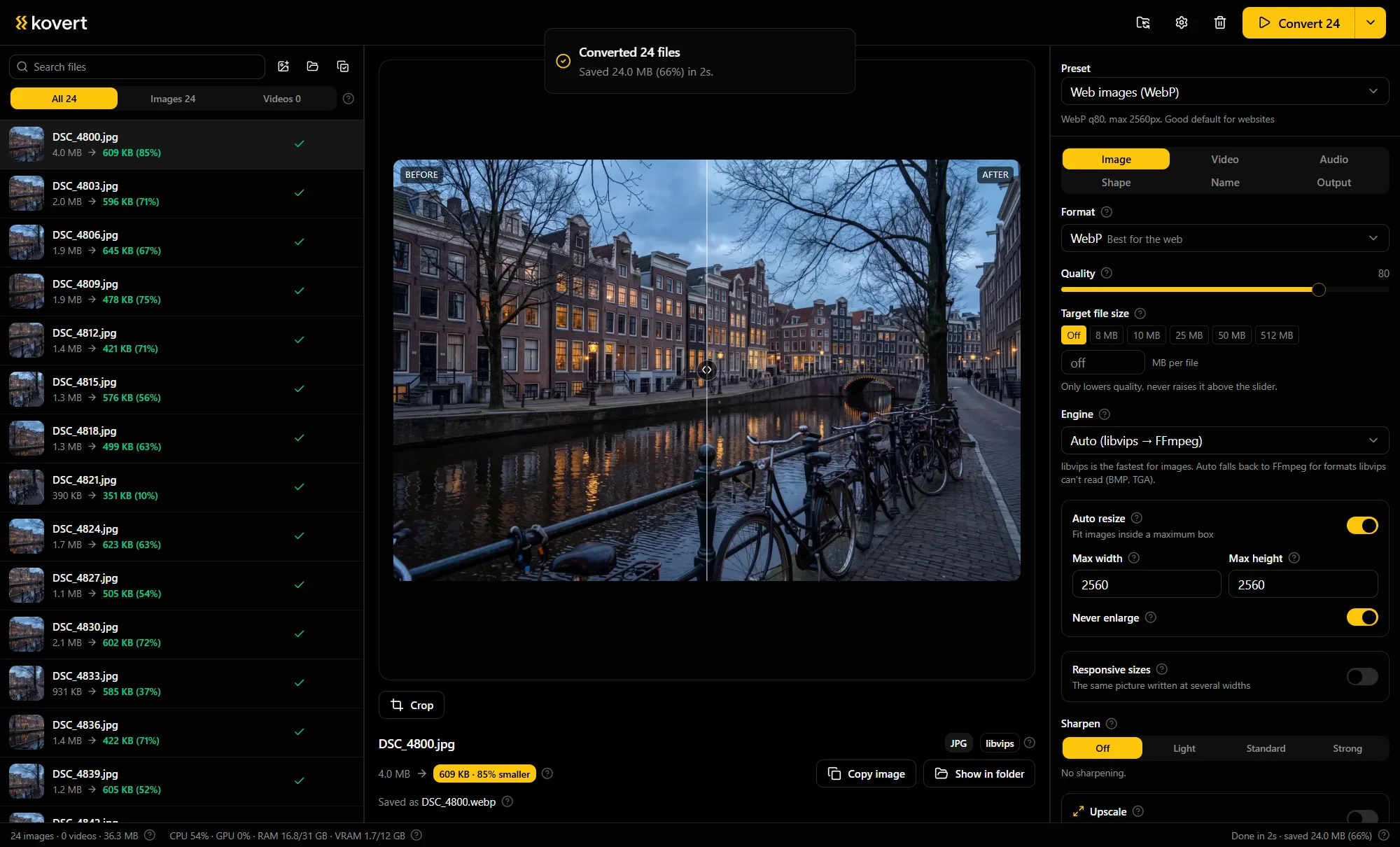
Folder in, right-sized images out
Drop the images in
A folder, a zip, or both at once. A few thousand files is a queue, not a problem.
Set the long edge
Fit inside 2560 px covers most web use, and the thumbnails preset does 640 px at WebP quality 75. When one photo needs different framing, crop it by hand with the corner handles.
Press convert
Every image is scaled to fit, sharpened afterwards if you switched that on, and written next to the source. Format and quality changes from the same run apply in the same pass.
One cap instead of width times height
Kovert resizes by capping the long edge. Fit inside 2560 means a landscape comes out 2560 wide and a portrait 2560 tall, so one setting handles a mixed folder without squashing anything.
Downscaling softens fine detail a touch, so an optional sharpen runs after the scale, and only after a downscale. DPI can be set in the same panel for print-bound files.
Against PowerToys, honestly
On Windows, PowerToys Image Resizer is free and fine for plain resizing. If that is the whole job, use it.
Kovert's case is that resizing is rarely the whole job. The same run resizes, converts the format, compresses and renames, and it runs on macOS too.
srcset in the same run
Web work usually needs the same image at several widths. Kovert writes the extra responsive widths in one run and generates the matching srcset line, copied to the clipboard or written to srcset.txt.
Pick the widths once, say 640, 1280 and 2560, and every image in the folder gets the full set plus the line to paste into the img tag.
That turns a folder of originals into a ready set of responsive images without a build step.
Questions
- Will resized photos look soft?
- A downscale costs a little fine detail, which the optional sharpen puts back. It runs only after a downscale, never on an image that kept its size.
- Can it crop a whole batch to one aspect ratio?
- No. Cropping is per image, by hand with corner handles, for the one photo that needs it. Batch runs resize by fitting inside a cap.
- Does fit inside enlarge small images?
- No. Fit inside is a cap, and an image already under it passes through at its own size. Nothing gets stretched up.
- What settings for web images?
- Long edge 2560 and WebP at quality 80 for page images, the thumbnails preset at 640 px for grids. That covers most sites.
- Can I set the DPI for print?
- Yes, DPI is a field in the same run. It changes the print density metadata, not the pixels, so nothing on screen looks different.
- Is it free?
- For home use, yes, everything included. At work it needs a business licence, €49 per seat, paid once, with a year of updates.
Related
- Compress images
The byte side of the same cleanup.
- Convert to WebP
The format choice behind the web preset.
- AI photo renamer
Give the resized set names that mean something.
Point it at a folder and see what comes back.
v0.1.0 · Windows 10 and later · macOS on Apple Silicon